Read AI-generated summary
- IdeaAI autonomous agent brings advanced reasoning to complex, long-horizon software engineering tasks.
- The system functions directly in the terminal, bypassing standard IDE limitations.
- It excels at deployment management, systemd configuration, and autonomous vulnerability patching.
- Unlike standard tools, IdeaAI continues working in the cloud even when you sleep.
Local AI Coding Agent for Windows: Run AI Coding Offline with Ollama
IdeaAI is a local AI coding agent for Windows that can read and modify files, run terminal commands, and work with Ollama models even when the internet connection is unavailable. It is designed for developers who want an executable desktop workspace instead of a browser chatbot that only generates snippets.
If you are searching for a local AI coding agent for Windows, you probably want more than autocomplete. You want an assistant that can understand a real project, inspect files, run terminal commands, and help you ship without uploading proprietary code to a third-party service.
That is the gap between a browser chatbot and a desktop engineering workspace.
What is a local AI coding agent?
A local AI coding agent runs its reasoning model on your machine, usually through Ollama, and connects that model to a controlled workspace. Instead of copying a code snippet into a chat window, the agent can work with the project you selected:
- Inspect the project tree
- Read source files when they are relevant
- Explain architecture and dependencies
- Create or update files
- Run tests, formatters, and development commands
- Report exactly what changed
The important distinction is execution. A model can describe a file edit, but an agent becomes useful when the desktop application safely applies that edit and returns the result.
What is the best local AI coding agent?
The best local AI coding agent depends on the developer's operating system, hardware, model, and required level of workspace access. For Windows users, a practical setup combines Ollama with a desktop agent that can access a selected project, execute terminal commands, and show verifiable file changes.
IdeaAI is built for this workflow. Its local engine keeps day-to-day work on the device, while its optional cloud control plane can continue longer engineering tasks through controlled GitHub and CI/CD workflows.
Best local AI coding agents for Windows
The following comparison focuses on capabilities developers should verify before installing a local coding tool:
| Tool type | Local model support | File access | Terminal access | Offline use |
|---|---|---|---|---|
| IdeaAI | Yes, with Ollama | Yes, selected workspace | Yes | Yes, with a local model |
| Continue | Yes, with a supported local provider | Through the IDE | Through the IDE | Yes, with a local model |
| OpenCode | Depends on the configured provider | Yes, project-scoped | Yes | Depends on the model |
| Cloud-only coding assistants | Usually no | Limited or remote | Limited or remote | No |
This table is a capability guide, not a ranking. Always confirm current provider, license, model, and operating-system support before adopting a tool.
Why developers want offline AI coding tools
Cloud coding assistants are convenient, but they are not always the right default for every repository. Teams working with unreleased products, customer integrations, internal tools, or regulated data may prefer to keep source code on the device.
Local execution helps with four common problems:
1. Private repositories stay local
The model receives context through the local application instead of a public browser session. You choose the workspace, and the agent can be limited to that directory.
2. Network interruptions do not stop the work
When the model is running through Ollama, a lost connection does not prevent you from reading files, running a test, or continuing an offline refactor.
3. Terminal work happens where the code lives
The agent can run a command with the selected project as its working directory. That makes it possible to install dependencies, run a test suite, inspect Git status, or reproduce a build error without manually moving between tools.
4. You can verify every change
A reliable local agent should show the files it touched and the command output it received. It should never claim that a file was changed merely because it generated a code block.
How a Windows desktop agent accesses files safely
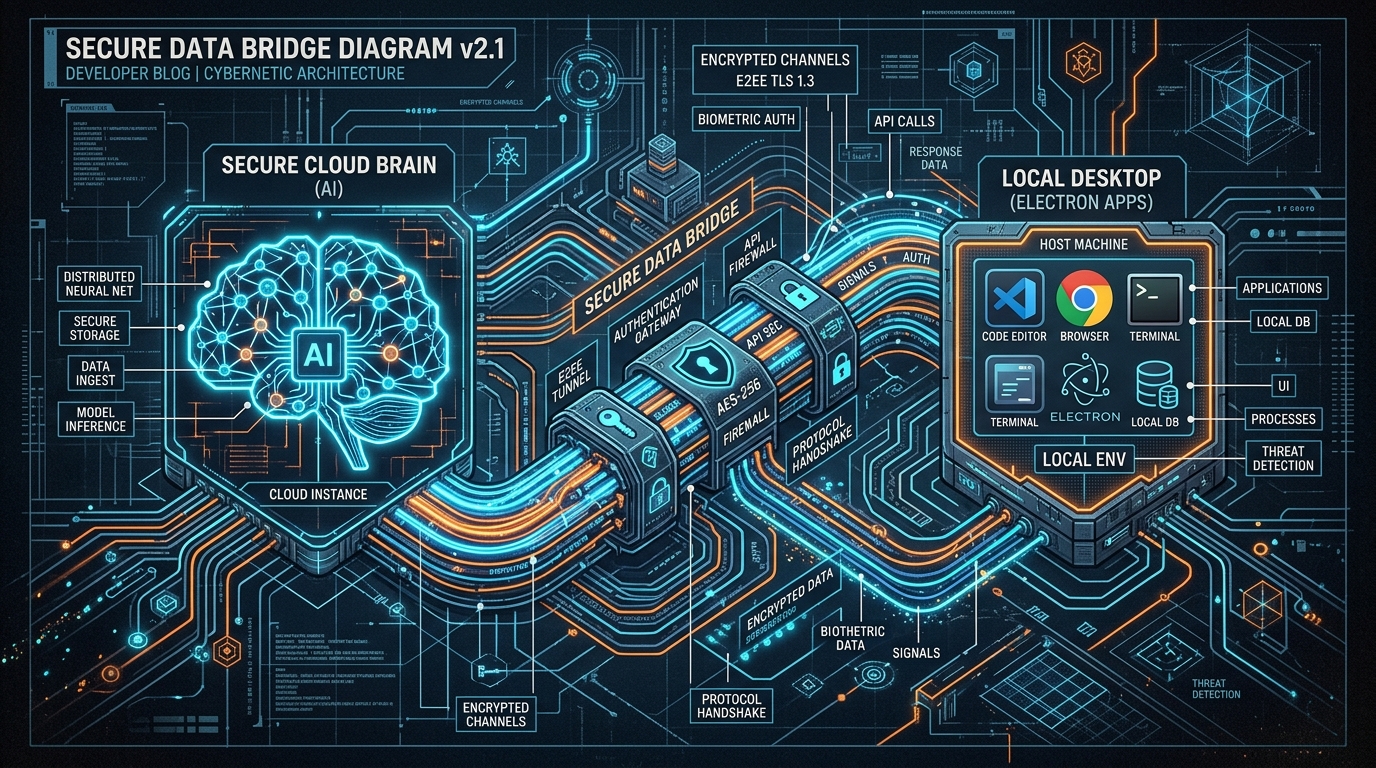
The safest architecture is not “give the model unlimited access to the entire computer.” It is a permissioned local bridge:
- You select a project folder in the desktop app.
- The app builds a lightweight file tree and sends only relevant context to the model.
- The model requests a file with a structured tool instruction.
- The desktop bridge reads the file and returns the contents.
- The model proposes a complete write or a terminal command.
- The bridge validates the path, executes it inside the selected workspace, and reports the result.
This design gives the agent practical filesystem access without making every system folder part of the model context. It also makes path traversal easier to prevent: writes can be rejected whenever they resolve outside the selected workspace.
Local model versus cloud model: which should you use?
You do not have to choose one engine for every task.
Use a local model when:
- The repository contains sensitive or unreleased code
- You are offline or working on a laptop
- You need fast file inspection and terminal feedback
- You want to review every local change directly
Use a cloud model when:
- You need more reasoning capacity for a complex issue
- You want long-running overnight work
- The task can run against a controlled CI/CD or GitHub workspace
- You want the laptop to be closed while the work continues
The most useful setup is hybrid: local execution during the day, cloud execution for background engineering work at night.
How IdeaAI combines local and overnight coding
IdeaAI is designed as a Windows desktop engineering workspace, not only a chat interface. Its Local Engine can connect Ollama to a selected project, inspect files, run commands, and apply structured file changes through the desktop bridge.
When a task benefits from a larger remote model or continued execution after you leave your desk, IdeaAI can use its cloud control plane. That creates a practical day-and-night workflow:
- Day: work locally with low latency and keep sensitive context on the device.
- Night: let the cloud workflow run tests, investigate issues, and prepare engineering changes while your laptop is closed.
- Morning: review the report, changed files, command results, and next steps.
The goal is not to replace engineering judgment. It is to remove the repetitive distance between a decision, a terminal command, a file change, and a verified result.
Can a local AI coding agent work offline?
Yes. A local AI coding agent can work offline when the model is already downloaded to the computer and the desktop application does not depend on a remote request for each action. Ollama provides the local model runtime; the agent provides the workspace, file, and terminal tools.
Offline operation still depends on local hardware. Larger models require more memory and may run more slowly on a laptop. A sensible approach is to start with a model that fits the available RAM and GPU, then test it against a small project before using it on a production repository.
Local AI coding agent versus a cloud coding assistant
Local and cloud execution solve different problems:
- Local: lower latency, private workspace context, offline operation, and direct access to the computer.
- Cloud: larger compute, long-running background tasks, hosted CI/CD, and work that can continue after the laptop is closed.
For many teams, the strongest workflow is hybrid: use a local AI coding agent during the day and a controlled cloud workflow for overnight testing, issue investigation, and pull-request preparation.
A simple checklist for choosing a local coding agent
Before trusting any AI coding tool with a repository, check whether it can:
- Ask you to select a workspace instead of silently scanning the disk
- Read files through explicit tool calls
- Restrict writes to the selected workspace
- Show command output instead of inventing test results
- Distinguish a proposed change from an applied change
- Work with your existing terminal and Git workflow
- Explain what it changed and why
If an agent says “I created the file” but the file timestamp and contents never change, it is still a chatbot. The execution bridge is the feature that turns generated code into engineering work.
Frequently asked questions
Can I run an AI coding agent on Windows without internet?
Yes, if the model is installed locally, such as through Ollama, and the agent supports local file and terminal operations. Internet access may still be needed for package downloads, remote repositories, or cloud features.
Is Ollama an AI coding agent?
Ollama is a local model runtime. It runs models on your computer, but a separate coding agent is needed to safely inspect a project, modify files, and execute commands.
Does a local coding agent upload my source code?
That depends on the product and configuration. A local-only workflow can keep model inference and workspace operations on the device. Review the tool's security model and disable cloud features when proprietary code must remain local.
What is the difference between a local model and a local agent?
A local model generates responses on the device. A local agent adds controlled tools such as file reads, file writes, terminal commands, Git operations, and result reporting.
Continue learning
- How to use Ollama for coding on Windows
- Read the IdeaAI security model
- Explore the IdeaAI documentation
Download IdeaAI for Windows
If you want to try a local AI coding agent with a Windows desktop workspace, download IdeaAI from the Microsoft Store:
Download IdeaAI from Microsoft Store
IdeaAI can accompany you during working hours locally—and keep engineering work moving through its cloud control plane when you sleep.
Posted in:
More Information
About the author

Doğuş Yılmaz
Doğuş is the visionary Solo Technical Founder & CEO behind IdeaAI. He leads the development of state-of-the-art autonomous AI coding agents and their integration into modern software engineering workflows. His work focuses on transforming the traditional IDE experience into a 24/7 cloud-hybrid autonomous workspace.
Read more from Doğuş YılmazRelated stories

Escaping the PaaS Tax: Automating Free Deployment Servers with AI Agents
Try IdeaAI Today
If you want an autonomous agent that does the heavy lifting but still mentors you like a Senior Developer, download it today.
Download on Microsoft Store